Deck Generator:
Turning static card artwork into a finished interactive product
A browser-based creative production tool for independent card deck creators.
PROJECT SNAPSHOT
The Problem
Independent oracle, tarot, affirmation, and other card-deck creators can sell PDFs, printable cards, or image files, but those formats don't provide much of an interactive deck experience.
The Solution
I designed a browser-based generator that turns a creator's existing card artwork and written meanings into a finished interactive digital deck.
The Key Decision
The finished deck exports as one self-contained HTML file. The creator can distribute it without managing hosting, accounts, subscriptions, APIs, installation, or supporting files.
My Role
Product concept, solution design, requirements and constraints, UX and visual direction, feature and scope decisions, AI-assisted prototyping, testing, documentation, and product packaging.
Development Approach
I created the initial proof of concept in Google AI Studio, then rebuilt the product with Claude around a self-contained browser approach. I defined the requirements, UX, visual direction, features, and constraints, tested each version, and directed changes. Claude handled the code implementation.
Outcome
A working generator that lets independent creators turn their existing artwork and written content into a distributable interactive deck.
FULL PROJECT
THE PROBLEM
I originally started looking at custom oracle card art as a possible addition to my Etsy shop. It overlaps naturally with my book-cover work, but figuring out how I would package and deliver it raised a more interesting question:
What does the customer actually get?
Creators can already sell PDFs, printable cards, or folders of images. Those options deliver the artwork, but they don't give the buyer much of a deck experience. They still need to print the cards, manually choose one, or improvise their own way to do draws and spreads.
An interactive deck made sense. The harder part was figuring out how to deliver one without creating a technical burden for the creator selling it.
DEFINING THE PRODUCT
The creator already has the important parts: their artwork and written card meanings. I wanted the generator to take those existing assets and handle what was needed to turn them into a finished digital product.
I considered what that handoff would look like in practice. Hosting would create an ongoing dependency. A folder containing HTML, scripts, and images could break if files were moved or separated. Requiring setup from the end customer would undermine much of the convenience of a digital product.
So the main requirement became simple:
One file. Double-click. It works.
The generated deck exports as a self-contained HTML file with the artwork, card data, styling, and functionality embedded inside it. The customer downloads the file and opens it directly in a browser.
This also gave me a practical boundary for later decisions. If a feature added significant complexity without making the final product more useful, it could wait.
DESIGNING AROUND THE USER
Keep the Handoff Simple
The generator handles the technical assembly before export so that the creator doesn't have to manage it afterward.
Card images are processed and embedded directly into the finished file along with the deck data, styling, and functionality. The creator gets one file they can distribute to their customers without additional setup.
Use Inputs Creators Already Have
The workflow starts with things the creator already has: artwork, card meanings, and their own branding.
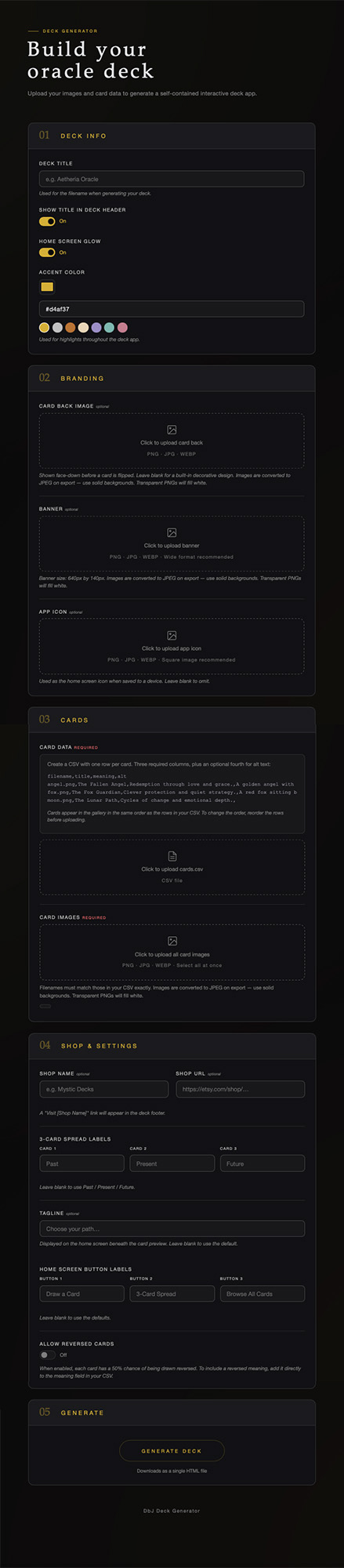
Creators upload their card images and a CSV containing the card titles and meanings, then add their deck title, card back, banner, accent colour, custom button labels, and shop link.
The generator matches the CSV data to the uploaded artwork, processes the images, applies the branding, estimates the final file size, and generates the finished deck.
CSV setup was one area where I could see unnecessary friction. Creators already had folders containing their card images, so I added a helper that reads those filenames and creates the starter CSV for them.
Give the Buyer a Deck Experience
The finished file needed to provide enough functionality to actually use the artwork as a deck.
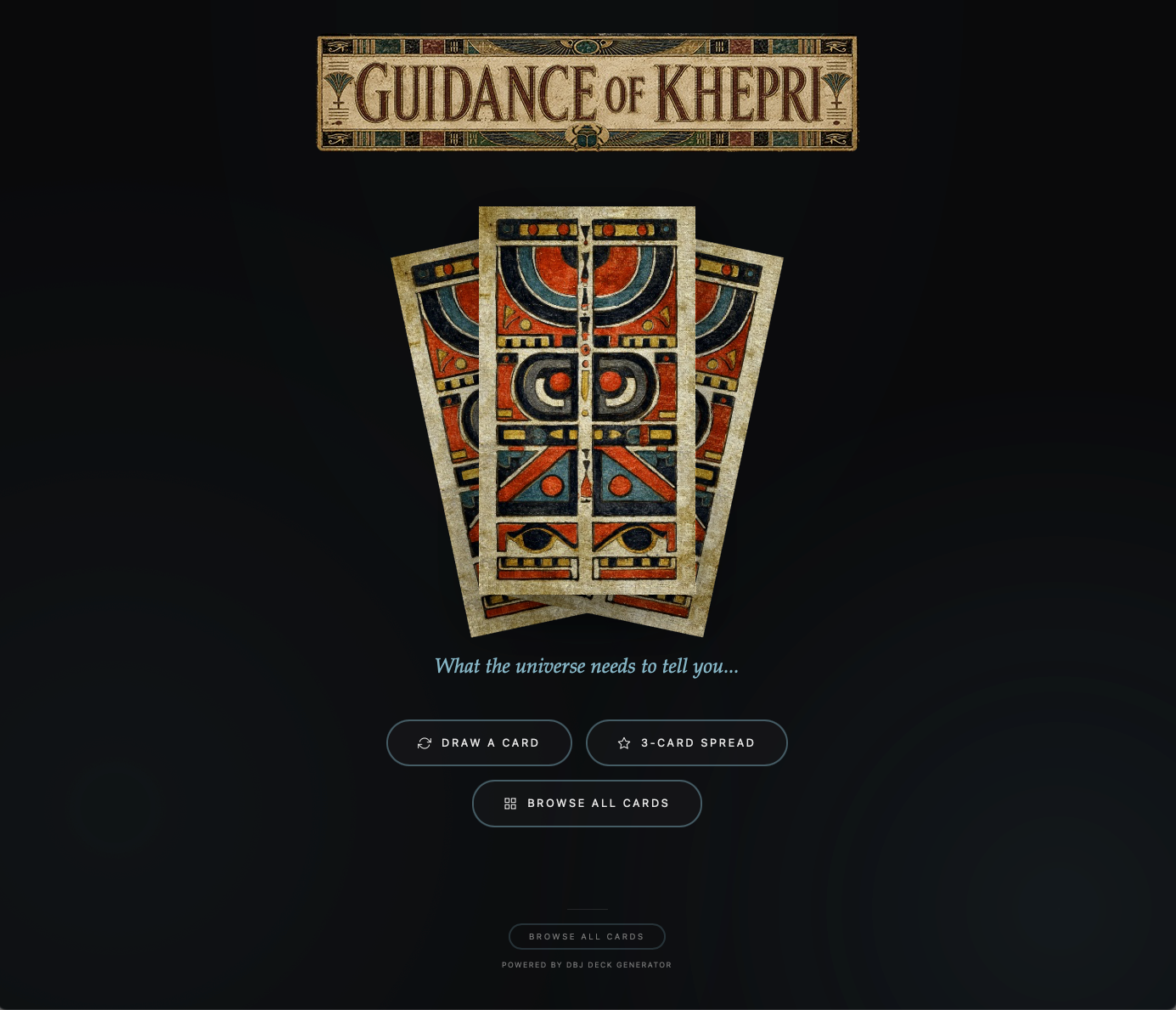
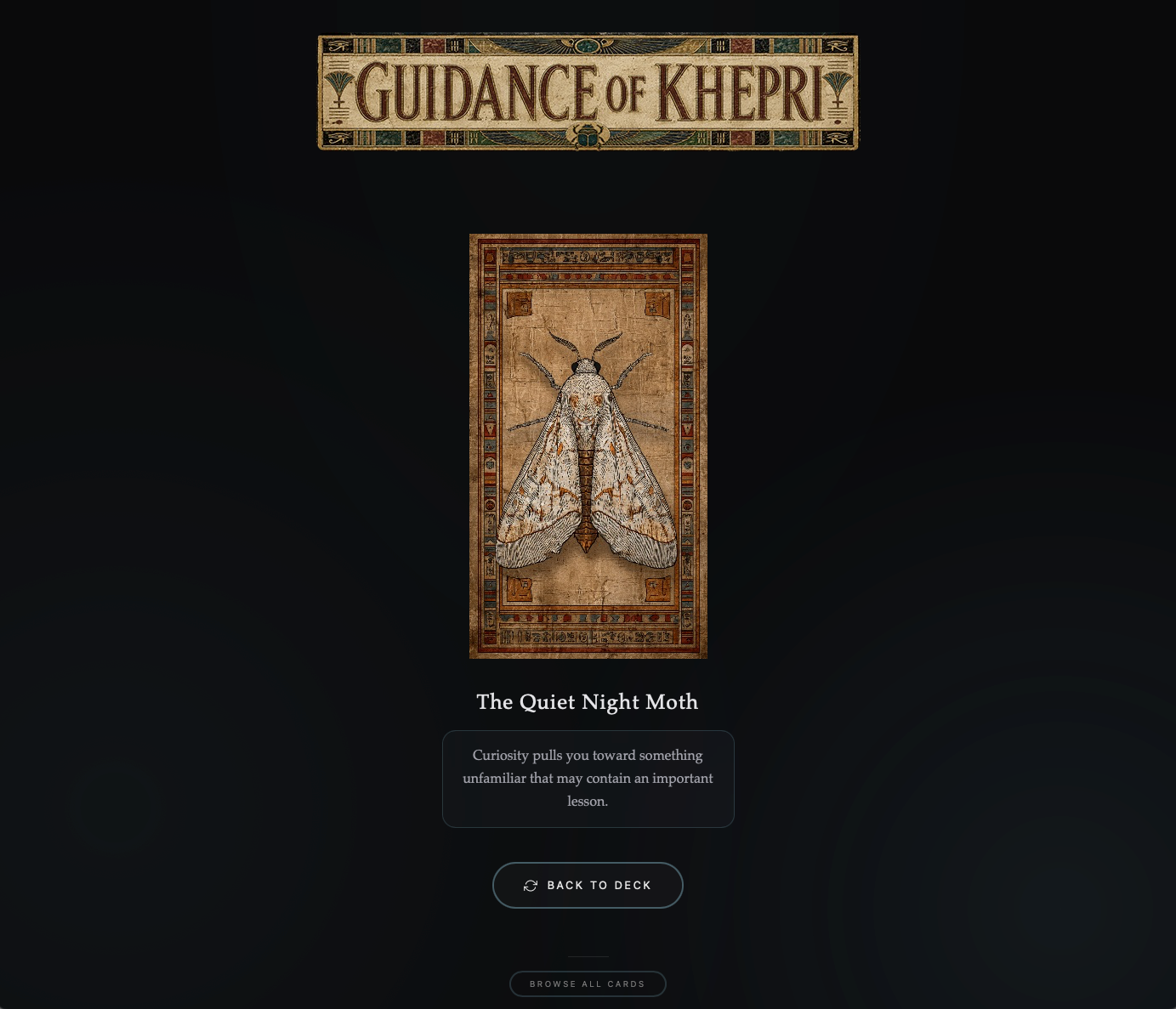
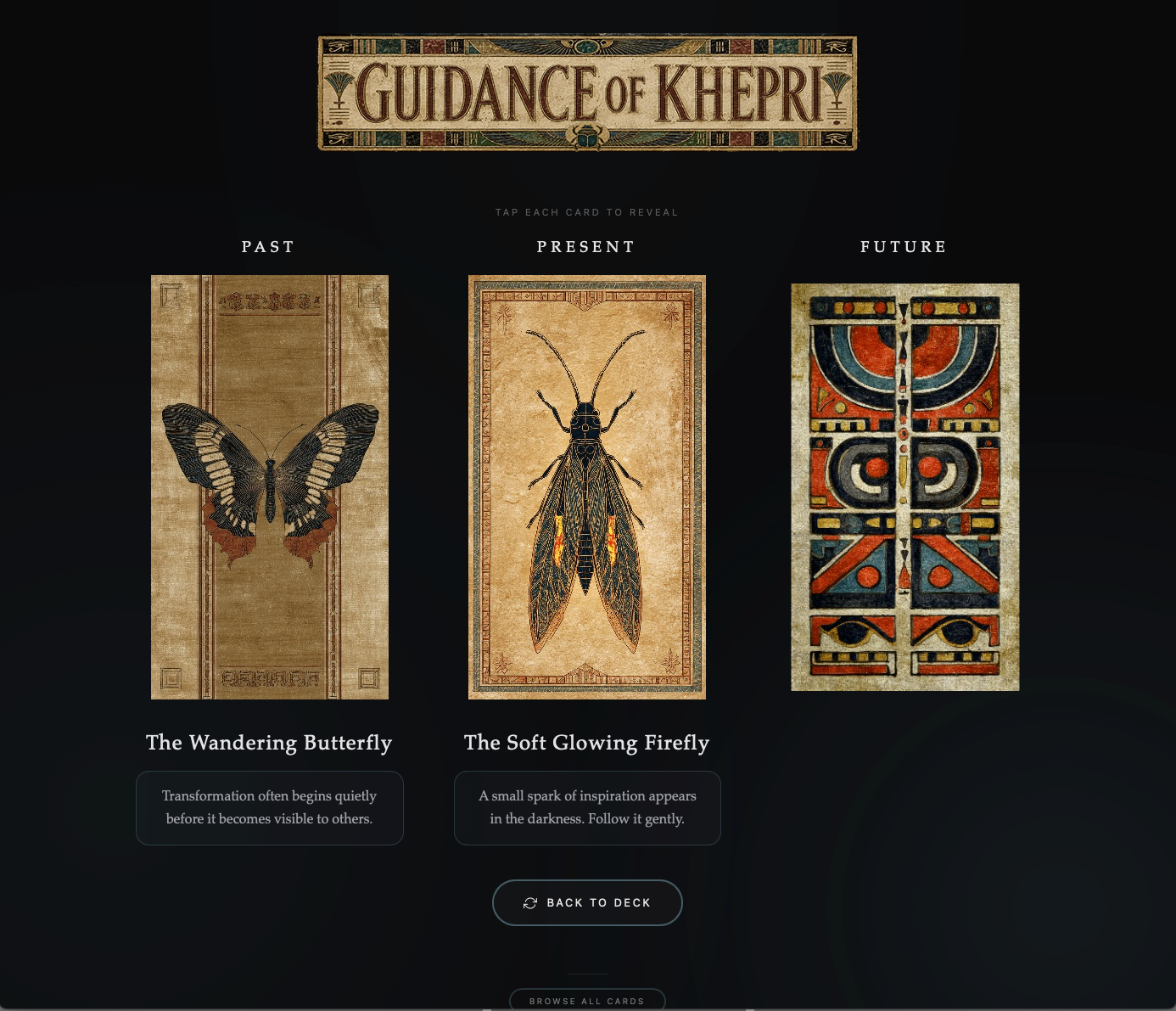
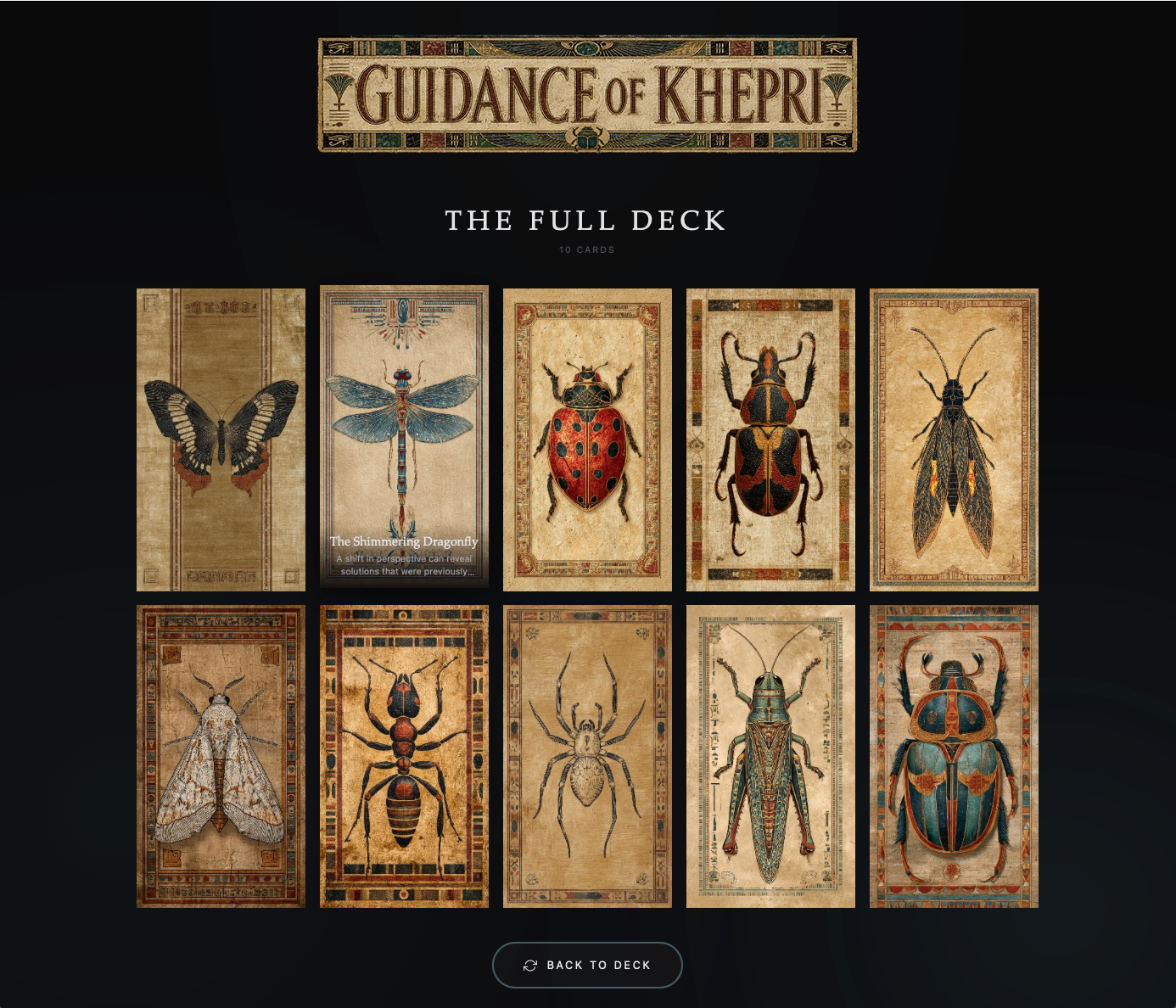
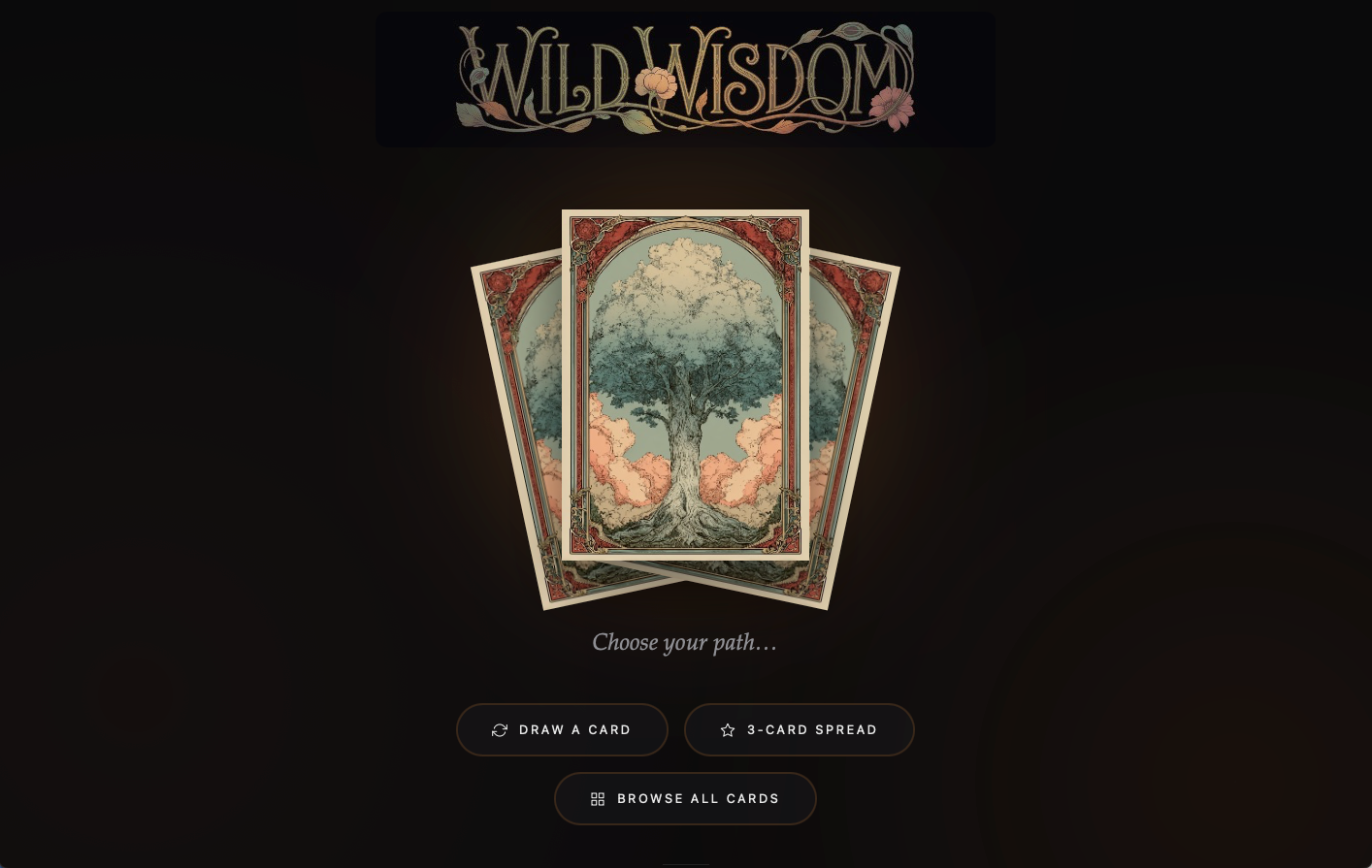
Generated decks include a single-card draw, three-card spread, full card gallery, card meanings, optional reversed cards, creator branding, custom colours and labels, and a shop link.
The customer can open the file and start using it without any setup beyond their browser.
USING AI TO BUILD IT
I started with a proof of concept in Google AI Studio to find out whether the basic idea was workable.
It was, but AI Studio naturally pushed toward putting AI into the finished deck. I couldn't see a practical reason for it. Shuffling, drawing, revealing cards, browsing a gallery, and displaying meanings could all happen directly in the browser.
I moved the project to Claude and rebuilt it around that simpler approach.
I defined the product requirements and constraints, worked through the UX and visual decisions, tested each version, identified problems, and decided which features were worth keeping. Claude handled the code implementation.
This made it possible to move quickly from an idea to a working product, test it in practice, and adjust the solution as problems surfaced.
SCOPE DECISIONS
Once the core product worked, there were plenty of things I could add. I kept coming back to whether each addition made the product meaningfully more useful.
Live Preview
A live preview sounded useful, but added substantial complexity to solve a relatively small problem. The creator could already generate a deck and immediately open the result, so I left it out of the first version.
CSV Helper
Preparing the CSV was a more practical source of friction. I added a helper that reads the creator's image filenames and creates the starter CSV automatically.
Markdown Formatting
I tested Markdown support for card meanings, but the implementation became disproportionately complicated for a formatting feature. I dropped it.
Additional Spreads and Customization
More spreads, themes, and appearance controls were possible, but weren't necessary for the basic product to work. I kept the first version focused on the options that had a clear use.
HOW IT WORKS
Creator's artwork + written meanings
↓
DbJ Deck Generator
The creator uploads their assets, adds their branding and deck settings, and generates the product.
↓
Self-contained interactive deck
Images, content, styling, and functionality are packaged into one HTML file.
↓
Creator's customer
The customer downloads the file and opens it directly in a browser.
WHAT SHIPPED
The product package includes the Deck Generator, CSV filename helper, README and usage instructions, and license terms.
The generated deck includes the interactive card experience, creator branding, and a small "Powered by DbJ Deck Generator" credit.
The generator is sold as a one-time purchase and can be used to produce multiple decks.
THE RESULT
The core generator reached a usable state over roughly two active weekends, followed by testing, documentation, launch materials, and further refinements.
A creator can start with the assets they already have, add their branding and settings, and generate a finished interactive deck. The result is one file they can distribute directly to their customers.
The generator handles the more complicated parts during creation so they don't carry over into the customer experience.
For the creator, the workflow is fairly simple: artwork and meanings in, finished deck out.
NEXT VERSION
I'm currently working on the next version, focused on expanding how creators and their customers can use the deck while keeping the same self-contained, offline approach.
Planned additions include:
Five-card cross spread
Extended card meanings with short and long-form text and rich text formatting
Shareable card images generated directly in the deck, including creator/shop branding